How to Automate Billing and Invoicing for a Service Business
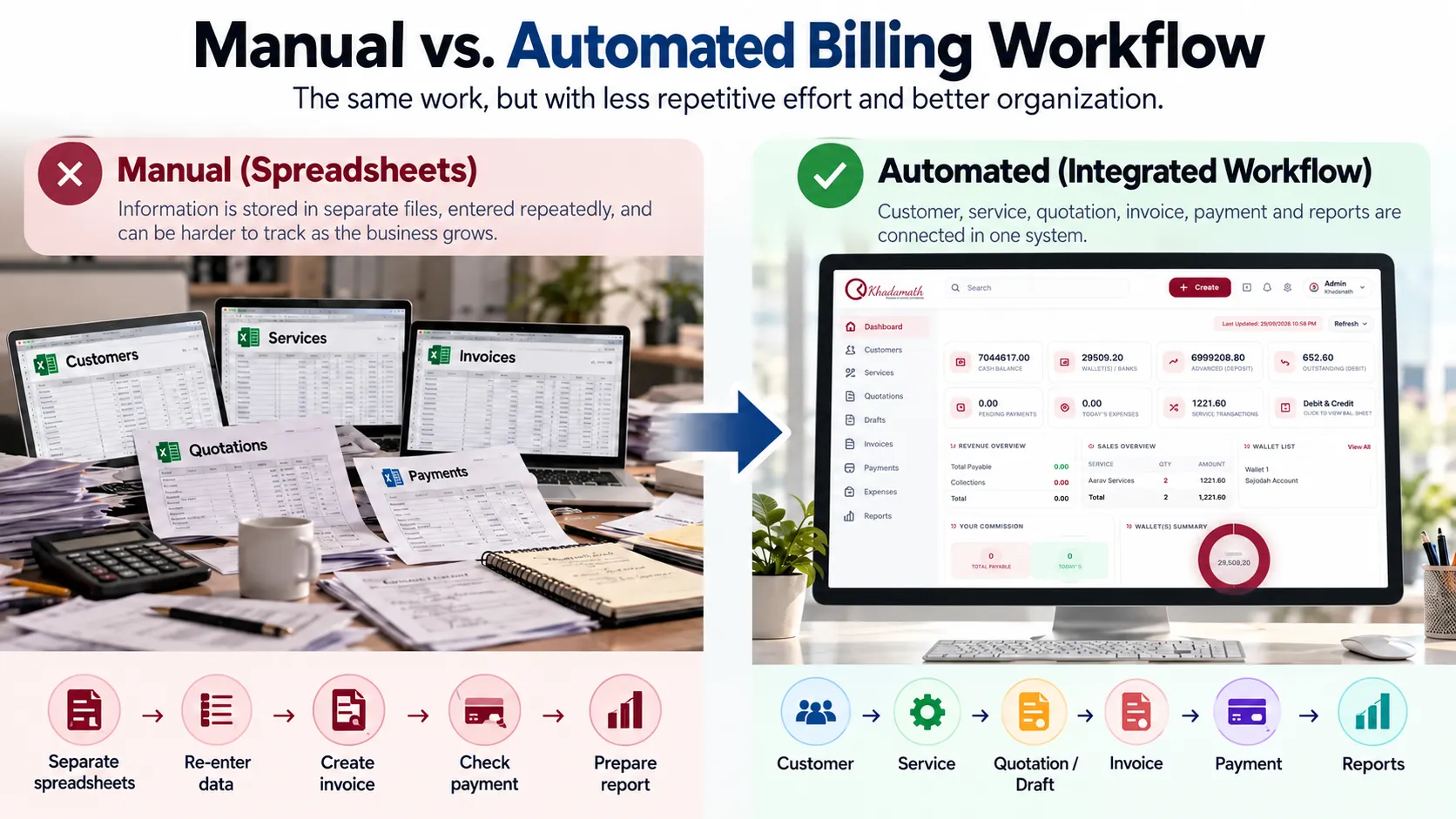
Billing can become difficult as a service business grows. Customer information may be stored in one place, service details somewhere else, and invoices may still be prepared manually.
For UAE service businesses such as typing centres, PRO service providers, travel agencies, document-clearing businesses and other service providers, billing can involve multiple customers, services, quotations, invoices and payment records.
Billing automation for a service business means using software and structured workflows to reduce repetitive work across customer records, services, quotations or drafts, invoicing, payment tracking and reporting.
The result of a poorly organized billing process is often repetitive data entry, duplicated work, difficulty tracking payments, and more time spent preparing reports.
Billing automation can help by connecting the different stages of the billing process and reducing repetitive tasks. But automation is not simply about generating an invoice with one click. For a service business, the bigger goal is to organize the workflow from customer and service information through invoicing, payment tracking, and reporting.
A typical service-business billing workflow can be represented as:
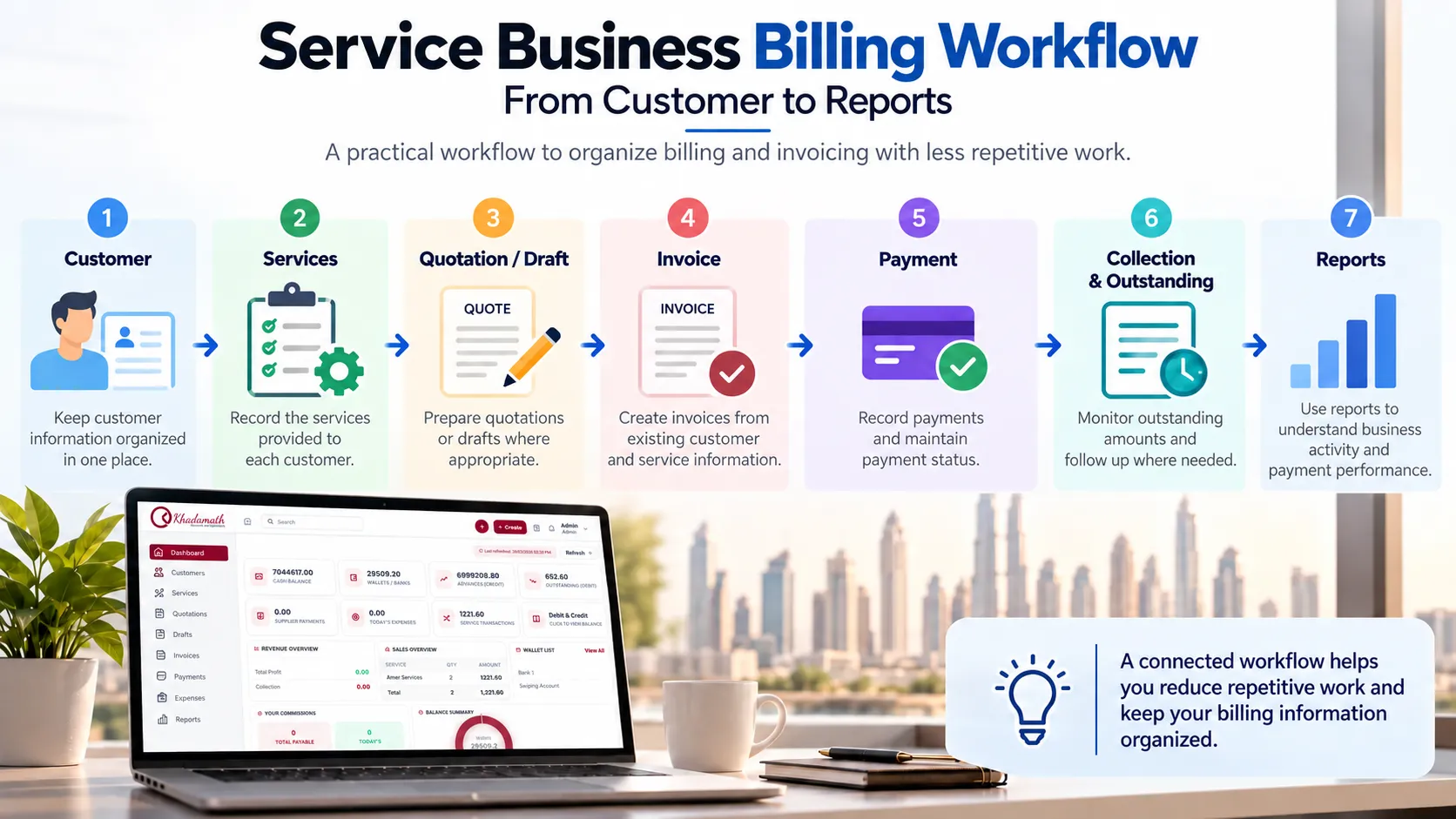
Customer → Service → Quotation / Draft → Invoice → Payment / Collection → Reporting

What Is Billing Automation?
Billing automation is the use of software and structured workflows to reduce repetitive manual work involved in billing customers.
For a service business, this can include organizing customer information, recording services, preparing quotations or drafts, creating invoices from existing information, recording payments, and reviewing billing reports.
The important point is that billing automation covers more than the invoice itself. It connects the information and activities that lead to the invoice and the records that follow it.
A useful distinction is between digitization and automation.
Digitization means replacing paper records or spreadsheets with digital records.
Automation goes a step further by reducing repeated actions within the digital workflow.
For example, storing an invoice as a PDF is digital. Using existing customer and service information to reduce repeated invoice preparation is closer to automation.
The goal is not necessarily to remove every human decision. Tasks involving unusual pricing, corrections, disputes, or other exceptions may still require review.
For a UAE service business, the practical objective is to make the movement from customer information and services to billing and payment records more organized and easier to manage.
Why Manual Billing Becomes Difficult for Service Businesses
Manual billing can become increasingly difficult when a business handles a growing number of customers and services.
This can be especially noticeable in service businesses where the same customer may receive different services at different times before the final billing is prepared.
Re-entering Customer Information
If customer details have to be entered repeatedly, the same administrative work is performed multiple times.
Re-entering Service Information
Service businesses may provide several services to the same customer. Keeping those services organized is important when preparing the final bill.
Creating Invoices Manually
Preparing invoices from separate notes, spreadsheets, or records can add unnecessary administrative work.
Tracking Payment Status
Businesses need to know which amounts have been paid and which remain outstanding.
Preparing Reports Manually
If billing information is spread across different records, management reporting can take additional time.
These problems are not solved simply by having an electronic invoice. The surrounding workflow also matters.
For example, a typing centre, PRO service provider or travel agency may need to manage several customer services before preparing a final invoice. A connected workflow can make those stages easier to organize than maintaining each part separately.
To learn how to keep these requests organized before billing, read our guide on managing multiple services for the same customer .
What Parts of Billing and Invoicing Can You Automate?
Not every business will automate its billing process in exactly the same way. The appropriate workflow depends on how the business operates.
However, several areas can benefit from structured software and automation.
Customer and Service Information
Start by keeping customer and service information organized in one system. When information is already available, staff can avoid repeatedly searching through separate files or entering the same details again.
Quotations and Drafts
A quotation or draft can provide an intermediate stage before an invoice is finalized. This can be particularly useful when the final amount depends on multiple services or when billing needs to be reviewed before the invoice is issued.
Invoice Preparation
Once the required customer and service information is organized, invoice preparation can involve less repetitive data entry. The objective is not simply to create an invoice faster, but to make the overall billing workflow more structured.
Payment and Outstanding Tracking
Billing doesn't end when an invoice is created. A useful billing workflow should also make it easier to understand payment status and identify outstanding amounts.
For a deeper guide to organizing customer balances, overdue amounts, partial payments and collections, see how to track outstanding payments in a service business .
For another related topic, learn how to track customer advances and credit balances in a service business .
Reporting
Billing information can also support business reporting. Instead of treating reports as a completely separate activity, businesses can use structured billing records as a source of management information.
How to Automate Billing and Invoicing Step by Step
A practical billing automation process can be organized into several connected steps. The exact process will vary depending on the services and operational requirements of the business.
1. Centralize Customer Information
Maintain customer details in a structured system. This gives staff a consistent record to work from whenever services are provided or billing information is prepared.
2. Record the Services Provided
Record the services associated with each customer. This is particularly important for businesses where customers may purchase multiple services over time.
3. Use Quotations or Drafts Where Appropriate
For services that require confirmation or accumulate before final billing, use a quotation or draft stage. This creates a clearer separation between planned work and the final invoice.
4. Prepare the Invoice From Existing Information
The next objective is to minimize unnecessary re-entry. Customer and service information already recorded in the system should form the basis for the invoice wherever the software supports that workflow.
5. Record Payments
Maintain the payment information associated with the billing record. This makes it easier to distinguish completed payments from amounts that still require attention.
6. Monitor Outstanding Amounts
Regularly review unpaid or outstanding amounts. A structured record makes this process easier than manually comparing invoices and separate spreadsheets.
7. Review Business Reports
Finally, use the available billing and business reports to understand activity and support management decisions. This is why billing automation should be considered as a workflow rather than only an invoice-generation feature.
What to Look for in Billing and Invoicing Software
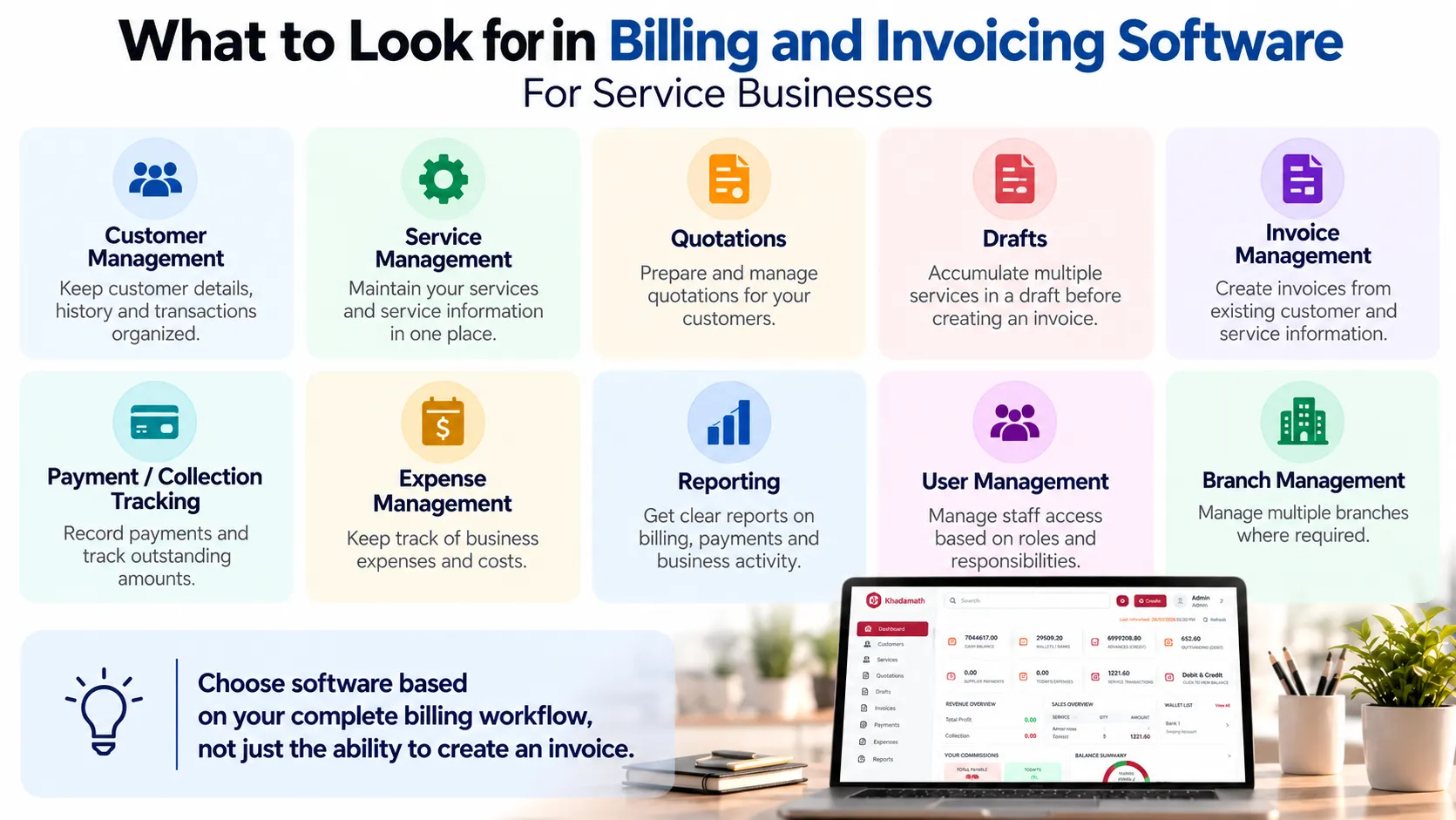
When choosing billing or invoicing software, look beyond the ability to create a professional invoice. Consider whether the software supports the broader workflow your business actually uses.
For a service business, useful capabilities may include:
- Customer management
- Service management
- Quotations
- Drafts
- Invoice management
- Payment or collection tracking
- Expense management
- Reporting
- User management
- Branch management, if required
The right requirements will vary between businesses. A small business with a simple billing process may need only a few of these capabilities, while a growing service business with multiple employees, services, or branches may need a more connected system.
Invoice Software vs Service Business Management Software
There is an important difference between software focused primarily on invoices and software designed around a broader service-business workflow.
Invoice software primarily addresses the invoice itself, while service business management software can address the wider workflow that leads to and follows the invoice.
Basic Invoice Software
Invoice-focused software may primarily help businesses:
- Create invoices
- Store invoice records
- Send or manage invoices
- Track invoice status
This can be sufficient when invoicing is relatively simple.
Service Business Management Software
A broader system can connect multiple operational areas, such as:
- Customers
- Services
- Quotations
- Drafts
- Work orders
- Invoices
- Expenses
- Users
- Branches
- Reports
For a service business, this broader connection can be useful because billing is usually connected to the services and customers that generated the bill.
For a broader comparison of product-focused and service-focused software workflows, see business management software for product vs service businesses .
If repeated manual billing and invoice preparation are becoming a problem, see 5 Signs Your Service Business Has Outgrown Excel .
The choice should therefore depend on the complexity of the business workflow rather than simply the number of invoice templates or features listed by a software provider.
How Khadamath Supports Billing for Service Businesses
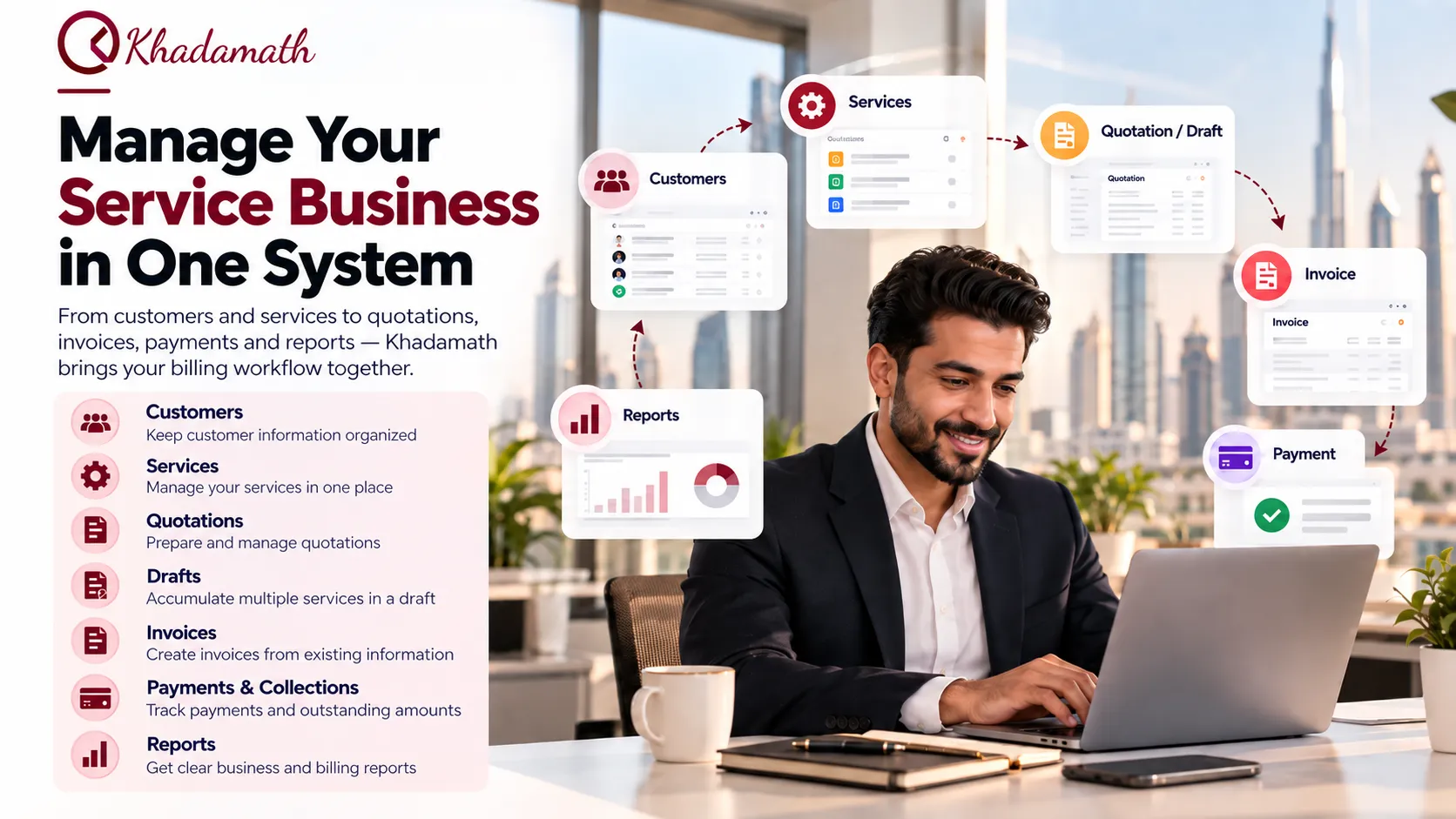
Khadamath is a business-management platform designed for service providers, with tools for managing customers, services, quotations, drafts, invoicing, expenses, users, branches and business reports.
For UAE service businesses, these functions can help organize the operational information that connects services provided to customers with the resulting billing records.
One relevant use case is when the same customer receives multiple services on different days. Instead of treating every service as a completely separate billing event, those services can be accumulated in a draft and later converted into a single invoice.
This can help organize the relationship between the services provided and the eventual billing record.
Khadamath also provides reporting and business-management functions that extend beyond invoice creation, making it relevant for service businesses looking to organize more of their billing workflow in one system.
To explore the broader service-business management capabilities, see Khadamath business management software .
The exact workflow a business should use will depend on its own service and billing process.
When Should a Service Business Consider Billing Automation?
There is no single business size at which automation becomes necessary. Instead, look at the problems created by the current process.
Billing automation may be worth evaluating when:
- Staff repeatedly enter the same customer information.
- Service details are maintained in separate spreadsheets or records.
- Multiple services need to be combined into billing.
- Invoice preparation takes significant administrative time.
- Payment status is difficult to track.
- Reports have to be prepared manually.
- Several employees handle different parts of the billing process.
- The business operates across multiple branches.
- Billing becomes harder to manage as the customer base grows.
These are practical signals that the business may benefit from a more structured billing workflow.
Conclusion
Billing automation is not simply about producing invoices faster.
For a service business, the bigger opportunity is to create a connected workflow between customers, services, quotations or drafts, invoices, payments, and reporting.
Start by identifying the repetitive parts of your current billing process. Then evaluate software based on whether it can organize those stages and reduce unnecessary manual work.
For UAE service businesses that need customer, service, draft, quotation, invoicing, expense, user, branch, and reporting capabilities in one system, Khadamath can be evaluated as a service-business management solution.
Ready to Run Your Service Business More Efficiently?
Manage customers, services, quotations, drafts, invoicing, payment tracking, expenses and reporting in one connected platform with Khadamath.
See Khadamath in Action